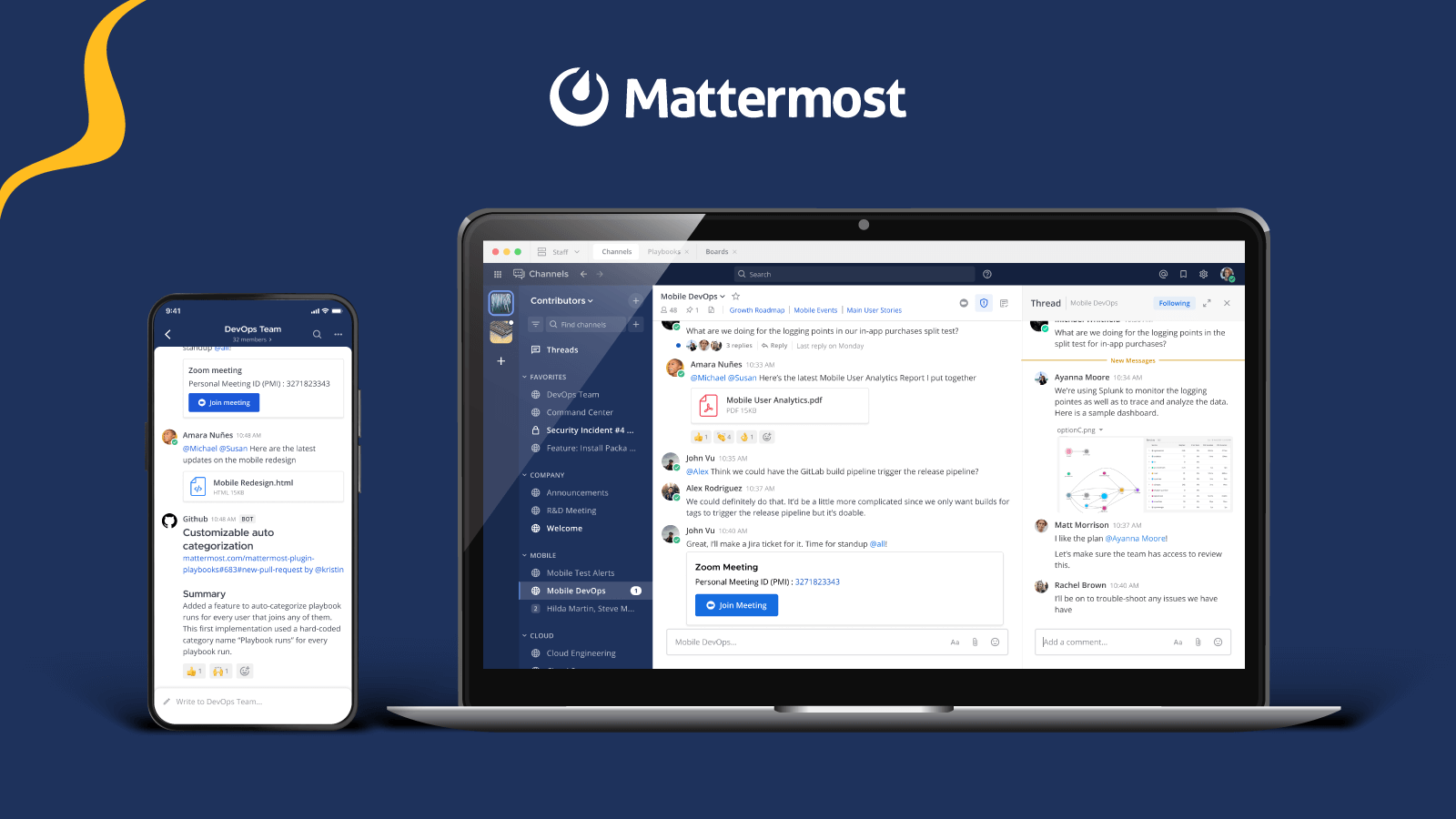




Same analyst. Same channel. Same network. One session runs on a government-issued laptop, the other on a personal phone. Should they get the same access?
For most collaboration platforms, the answer has been yes, because the policy could not tell the sessions apart. Access followed the identity, and the identity was the same.
Zero trust gives a different answer. DoD Zero Trust Target Level requirements include Deny Device by Default, and the DoD Zero Trust Reference Architecture describes access decided by dynamic policy that draws on the state of the user, the device, and environmental attributes. The challenge is no longer verifying who the user is. It is describing the situation they are in, precisely enough for a policy to act on it.
Zero trust starts with attributes
Zero trust has many moving parts. The CISA Zero Trust Maturity Model spans identity, devices, networks, applications, and data, and each pillar has its own controls. Nearly all of them depend on the same raw material: an attribute a policy can evaluate.
Two things set how fine-grained a policy can be. One is how specific the attribute values are. The other is where you attach them. A clearance level on a user supports one kind of rule. A classification on a channel, combined with a device-enrollment attribute on a session, supports a much sharper one.
Policy precision is capped by attribute precision.
What v12 adds
Over the past year, Mattermost has expanded its attribute-based access control (ABAC) engine through successive releases. v12 builds on that engine with new attributes and new attachment points, and uses them to drive enforcement.
Environmental attributes
Each session now reports three kinds of signal:
- Device identity: PKI-validated device certificates, MDM enrollment, and hardware identifiers.
- Network context: IP address, network type, VPN status, and the server endpoint.
- Device posture: operating system, client version, and whether a mobile device is jailbroken.
The same user on desktop and on mobile is now two sessions, potentially governed by different access policies. Attributes are evaluated per session and refreshed continuously. If a device drops off the VPN, access tightens within seconds. If a required signal is missing or out of date, the policy fails secure and denies access.
Hierarchical attributes
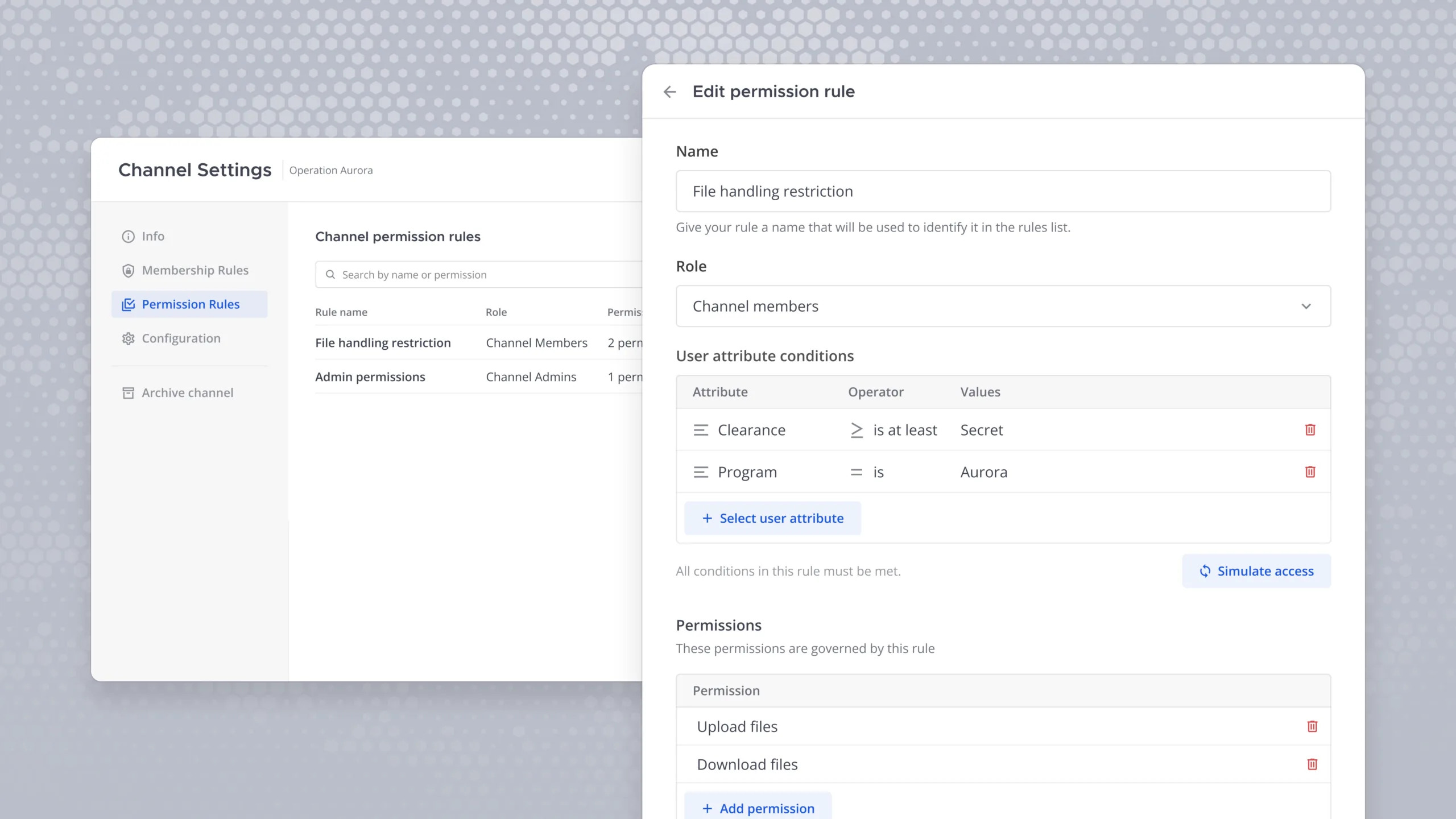
Ranking lets a rule say “clearance is at least Secret” or “rank is O-4 or above” without enumerating every qualifying value. Hierarchies such as Program > Project > Team let a policy defined at the program level apply to everything beneath it. Both can be imported from an organization’s user authoritative source, so policy stays consistent with the master record.
Smart markings
Markings such as classification, program, and handling caveats extend attributes from users to channels, and they do more than label. A global channel policy compares each user’s attributes with each channel’s markings, for example requiring that the user’s program include the channel’s program. That enforces need-to-know on every channel without writing a policy for each one. Channel administrators can add stricter conditions but cannot relax the global rule.
Administrators can also require markings on every channel. A channel without them stays inaccessible until they are applied. System-wide smart labels such as “SECRET // NOFORN” appear in the channel header, Channel Info, and banners, and channel owners cannot suppress them.
ABAC audit logging
Access decisions are recorded to support oversight and compliance review.
Two kinds of policy
First, membership policies govern who belongs in a team or channel. Users are added automatically when their attributes qualify them and removed when a clearance lapses or a program assignment ends. Membership stays aligned with authoritative records automatically instead of manual administration.
Permission policies govern what users can do, and under what conditions. Each is evaluated at the moment an action is attempted, which static roles cannot do. A user might preview a sensitive file but not download it, or be blocked from downloading on a personal device or outside the organization’s network.
Consider a government agency with some users on issued hardware and others on personal devices. On the issued device, policy allows reading, writing, and file download, because the file stays under agency control. On the personal device, the file is visible but the download is blocked. Same user, same network, same channel, and an experience the agency defines.
A bank can write the equivalent rule: sensitive channels open from company laptops and restricted from mobile. That capability is available in Mattermost Enterprise Advanced.
Where this sits on the maturity model
Mattermost’s Zero Trust guide maps capabilities to three stages in each pillar: Foundation, Advanced, and Optimal. The v12 capabilities support the Advanced and Optimal stages of the User Management pillar.
- Foundation. SSO, directory sync, and custom profile attributes. This is where attributes begin: clearance, program affiliation, location, and role on the user profile.
- Advanced. Attribute-based access control written in CEL and evaluated continuously. When a user’s attributes change, private-channel membership changes with them.
- Optimal. Access evaluated in real time against multiple authoritative sources, including on-demand clearance queries through the User Authoritative Source interface. Policies weigh clearance, program affiliation, device type, and network location together.
Session and channel attributes give Advanced and Optimal policies more to evaluate. The guide itself says no organization starts at Optimal and no single product delivers zero trust alone. v12 extends a path customers are already on, alongside existing classification markings, CUI protection on mobile, and data spillage handling. The architecture is designed to align with zero trust principles and to support CMMC and NIST SP 800-171 requirements.
Questions to take into your next policy review
- Which attributes does your access policy evaluate today, and which does it ignore?
- Can your policy tell an issued device from a personal one? What should differ between them?
- Where does each attribute live, and how stale can it be before it is a risk?
- When a required device signal goes missing, should access be denied, and who finds out?
- If an agent acts for a user, whose permissions does it carry, and who approved the action?
Zero trust never fails for lack of policy language. It fails when the policy cannot see the situation it is meant to govern.
Also in Mattermost v12: data controls and agent workflows
Information that crosses a boundary needs a decision at the crossing. That decision is only as good as what the guard knows about the user, the session, and the data. Richer attributes give Cross Guard more to work with. The more specific the values on the user, the session, and the channel, the more precisely a crossing can be allowed, restricted, or refused.
In Mattermost, Agents inherit the permissions of the user who invokes them. Every refinement in how a user’s access is defined reaches agent workflows too. A coarse policy produces a coarsely governed agent. A policy that distinguishes sessions, channels, and clearances gives agents the same precision. This ensures that as agents get more advanced and powerful, they remain within your controls from beginning to end.
Mattermost v12 is available now. For air-gapped, sovereign, and classified configurations, contact your account team or get started.