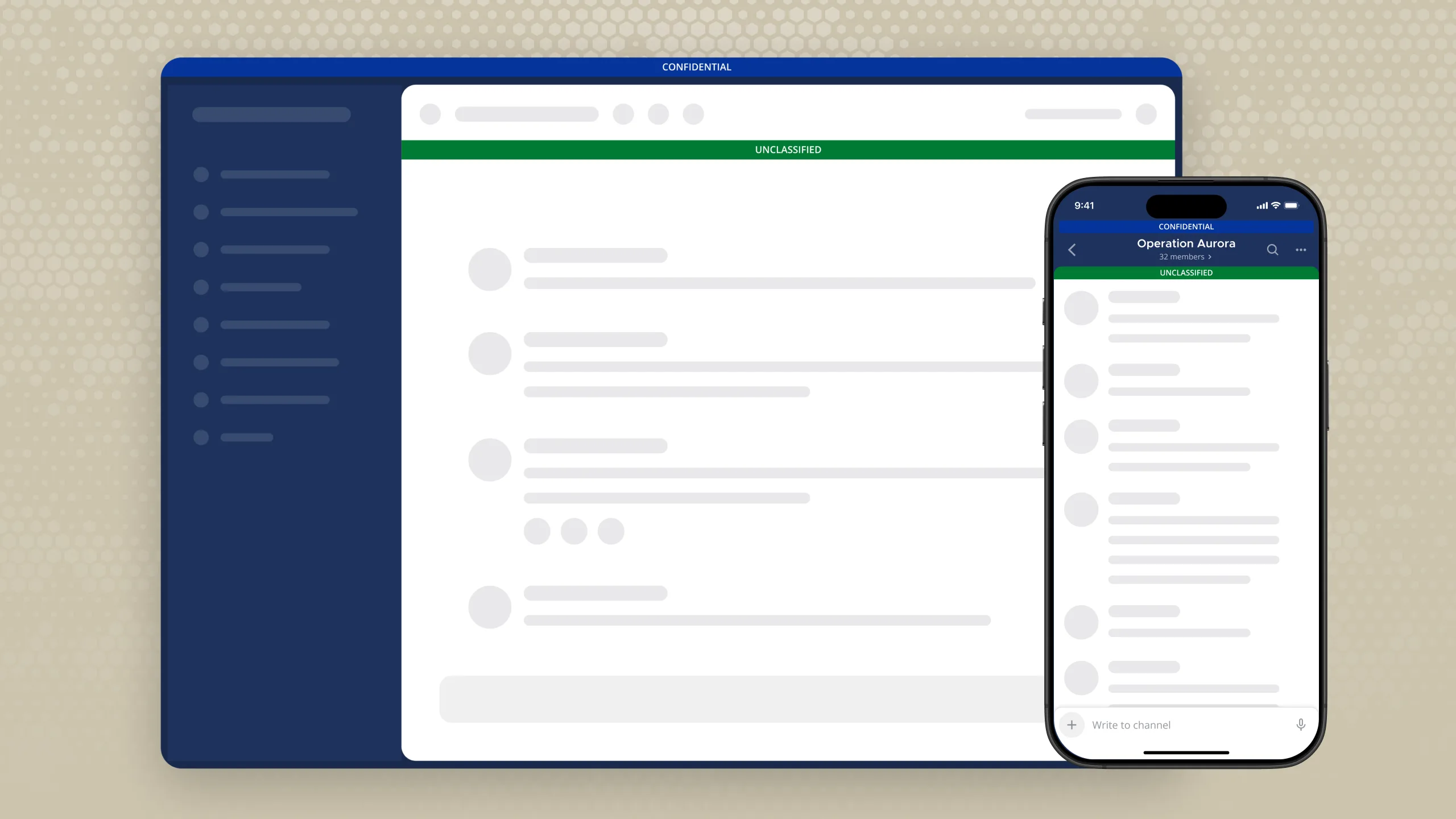




Mattermost v11.9 puts more of your access control architecture in the hands of the people closest to the mission, with deeper ABAC policy controls, ranked attributes, and program masking. Azure-deployed teams also get native Blob Storage support, keeping files where their infrastructure already lives.
Read on for what’s new, or upgrade your Mattermost server to get started.
ABAC Permission Policies in Channels
Mattermost Enterprise Advanced
Channel administrators running sensitive operations know better than anyone who should be moving files, who shouldn’t, and under what circumstances. Until now, translating that judgment into an enforced access policy meant raising a request to a system admin and waiting for them to act. The closest person to the mission had the least control over it.
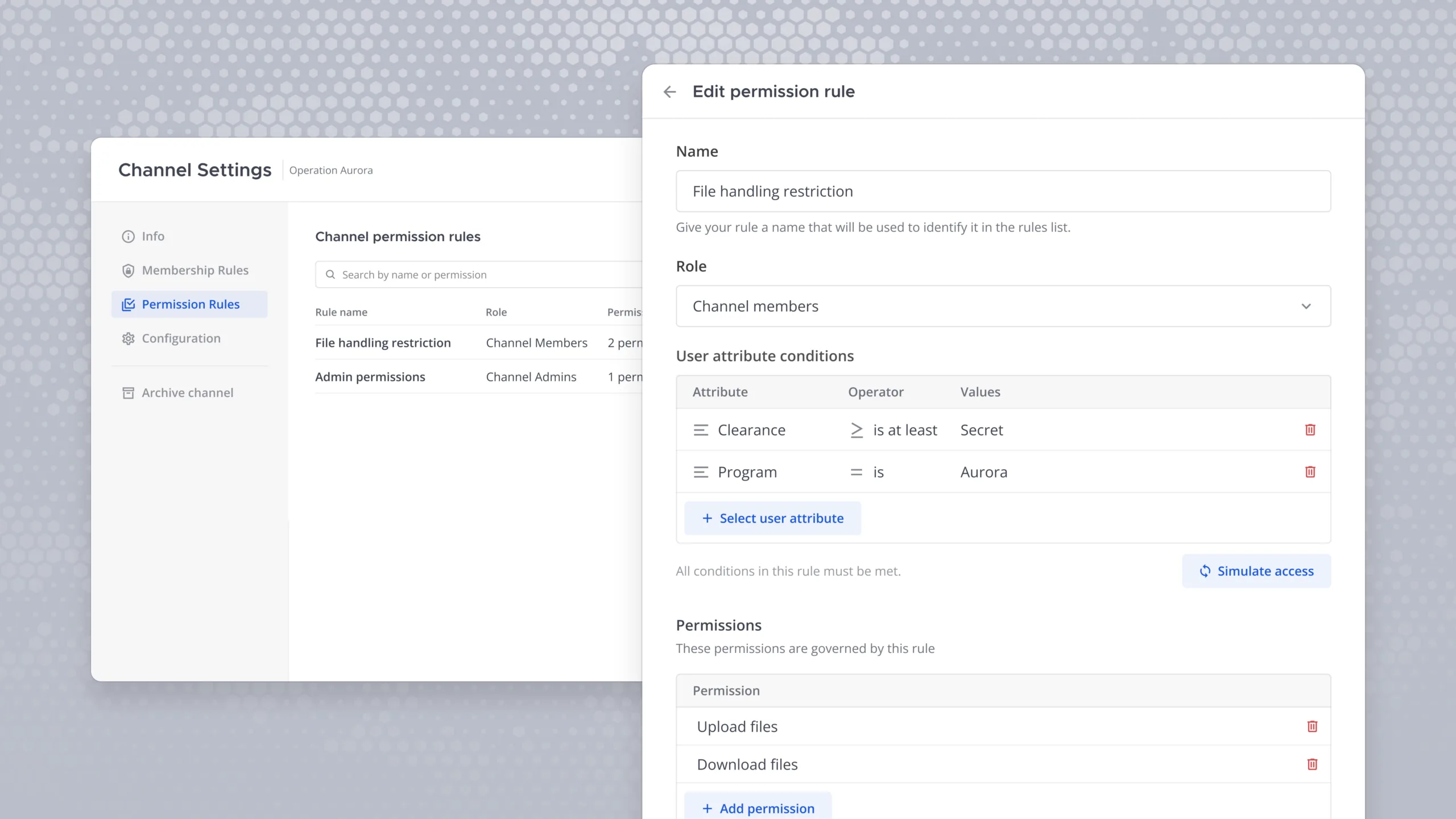
Mattermost v11.9 changes that. Channel admins can now create and manage attribute-based access control (ABAC) permission policies directly within their own channels. A policy is a named rule that defines what a specific role — channel members, guests, and admins — is permitted to do based on attribute conditions you define (e.g., requiring a Secret clearance level to upload or download files).
Two actions are currently supported, file uploads and file downloads, with more to follow.
Admins can set up these policies by navigating to channel settings, selecting permission policies, and then creating and updating a rule. Name it, select the role it applies to, and configure the attribute conditions.
Once a policy exists for any role in a channel, all other roles are subject to deny-by-default unless they have their own policy defined. Channel admins, however, are always exempt from this, ensuring continuity of management regardless of what policies are in place.
Before going live, channel admins can run a simulation to preview exactly who will be permitted or denied for a given action under the current rules. This enables them to catch misconfigurations before they reach the channel.
The people who understand a channel’s security requirements best can act on them directly in real time without filing a ticket, explaining the requirements to an admin far away from the need, and having to wait while potentially out of compliance. Access control tightens where it matters most, governed by the people closest to the work.
Learn more about ABAC in Mattermost.
Ranked Attributes
Mattermost Enterprise Advanced
ABAC is only as expressive as the comparisons it can make. While Boolean and categorical attributes cover a wide range of use cases — a user either has a value or they don’t — they can’t express hierarchy. Determining whether a user meets a minimum clearance threshold or falls within an acceptable range has required workarounds.
Mattermost v11.9 introduces a new attribute type: ranked attributes. A ranked attribute assigns an integer to each value, enabling order-based comparisons across a defined scale. A simple example: Lowest = 1, Low = 2, Medium = 3, High = 4, Highest = 5. Once ranks are assigned, policies can evaluate users against conditions like is at least, greater than, less than, or is not equal to rather than checking for an exact value match.
Ranked attributes are fully configurable. Administrators define the values, set their names, and assign their rank order — whether that’s a three-tier clearance scale, a five-point sensitivity rating, or any other hierarchy the mission requires. Those values are then assigned to users in the normal way. Administrators can also prevent users from modifying their own ranked attributes, ensuring the scale remains authoritative.
With this feature, access policies can now express ranked requirements natively. A channel restricted to personnel holding Secret or above enforces that threshold directly, without needing a separate attribute for every level. This foundational capability makes the entire ABAC policy model more expressive across every use case it’s applied to.
Learn more about ranked attributes in Mattermost.
Program Masking
Mattermost Enterprise Advanced
Delegating policy authorship to channel and team admins is only useful if the policies themselves don’t become a source of exposure. Previously, the policy editor displayed every attribute value contained in a rule — including values the admin viewing it wasn’t cleared to see. An admin could be granted the ability to manage access controls while inadvertently gaining visibility into classifications above their own.
Mattermost v11.9 introduces Program Masking. When an admin opens a permission policy, they see only the attribute values they personally hold. Any value they aren’t cleared for is represented by a masked chip. While the policy structure remains visible, the sensitive values within it do not.
This applies without exception across every admin tier. A system admin who doesn’t hold a particular attribute value will see it masked with a notice indicating the policy contains restricted values: Some rules include attribute values you cannot see. Editing or deleting these rules may change who has access in ways you cannot fully anticipate. Visibility is determined by the sensitivity of the data — not by the admin’s title.
As a result, policy delegation can extend further down the chain of command without creating unintended disclosure. Admins can author and manage the rules they’re responsible for, confident that doing so doesn’t expose them, or their organization, to attribute values above their clearance.
Learn more about Program Masking in Mattermost.
Azure Blob Storage
Mattermost Entry, Mattermost Enterprise, Mattermost Enterprise Advanced
Mattermost has long supported two file storage options: local server storage and Amazon S3 buckets. For teams deployed on AWS, that’s a natural fit. For teams running Mattermost on Azure infrastructure, on the other hand, it means storing files outside their native environment — an unnecessary dependency that adds complexity and works against sovereign or cloud-specific deployment requirements.
Mattermost v11.9 adds Azure Blob Storage as a supported file storage backend across all subscription tiers. Teams already operating on Azure can now keep their files where their infrastructure lives, without routing through a separate storage layer.
To configure this setting, navigate to System Console > File Storage. The storage dropdown now includes Azure Blob Storage alongside the existing options. From there, choose your environment: Azure Commercial, Azure Government, or Custom Endpoint for nonstandard configurations. Selecting Custom Endpoint surfaces an additional field for the endpoint URL. Authentication is handled via Shared Key or Default Credential (Microsoft Entra ID) depending on your organization’s identity setup.
Azure-deployed teams get a file storage configuration that matches their infrastructure, supports their compliance posture, and doesn’t require them to operate outside the cloud environment they’ve already secured.
Learn more about file storage in Mattermost.
Breaking Changes
Mattermost v11.9 changes how redirect URI allowlist patterns are matched for OAuth Dynamic Client Registration (DCR). Patterns are now evaluated per URL component (e.g., scheme, host, path, and query) rather than as a whole-string glob. See the Important Upgrade Notes for more details.
Mattermost v12 — Upcoming Breaking Changes
Starting with Mattermost Server v12.0 (October 2026), RHEL 7/8, OpenSearch 1.x, and the atmos/camo image proxy will no longer be supported. Admins running any of these should plan their upgrade or migration before the v12.0 release. See the deprecated features page for full details and migration options.
Try Mattermost v11.9 today
Upgrade your Mattermost server to start using these new capabilities.
For a complete list of updates and improvements included in this release, visit the Mattermost v11 Changelog.