Introducing the Mattermost MCP Server: Give Agents Secure Access to Your Workspace
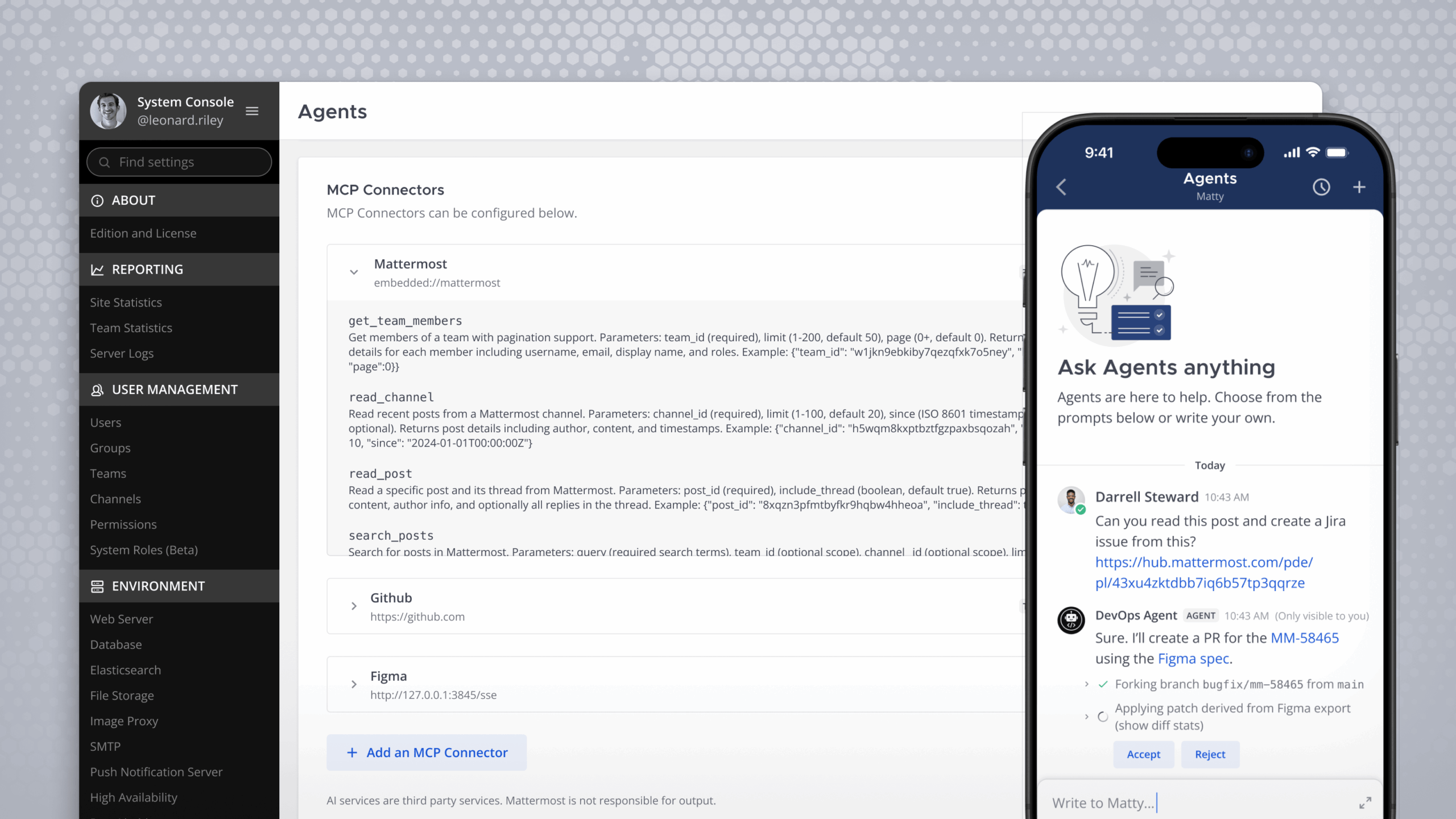
We’re excited to announce the Mattermost MCP Server, now available through Mattermost Agents. The MCP server allows Agents to securely read, search, and create content in your Mattermost workspace. You can use it directly within Mattermost with Mattermost Agents, or connect external AI services like Claude, all while respecting your existing Mattermost permissions.
What is MCP?
The Model Context Protocol is an open standard created by Anthropic that provides a universal way for AI applications to connect to external data sources and tools. Anthropic calls it “USB-C for AI.” Just as USB-C standardized how devices connect to peripherals, MCP standardizes how AI models connect to your data. The protocol has rapidly gained industry adoption, with OpenAI, Google, and Microsoft all embracing MCP as the emerging standard for AI integrations.
By providing an MCP server, Mattermost joins this industry movement while maintaining the security, flexibility, and control that mission-critical teams require.
Two Ways to Use Mattermost MCP
With Mattermost Agents: Enable the MCP server for Mattermost Agents, and your Agents gain the ability to interact with your Mattermost workspace directly. The Agent inherits your Mattermost permissions automatically. It can only access the channels, teams, and content that you already have access to.
With External AI Clients: Want to use Claude, ChatGPT, or another MCP-compatible AI service? Enable the external MCP endpoint, and these services can connect to your Mattermost server via OAuth. When you authenticate, the external AI client receives the same permission boundaries as your Mattermost account. No new permission model to configure. Your existing access controls apply automatically.
AI Security That Fits Your Existing Model
For organizations operating in demanding environments, security is foundational. That’s why we built the MCP server to work with your existing Mattermost security model, not around it.
Permission Inheritance: Whether you’re using Agents or an external AI client, the AI can only access what you can access. We call the Mattermost API under the hood, so your existing team memberships, channel permissions, and access controls all apply. There’s no separate permission system to manage.
OAuth for External Connections: When external AI services connect to the MCP server, they authenticate through OAuth with your Mattermost server.
Explicit Tool Approval: Every action a Mattermost Agent takes requires your explicit approval. You remain in control of what the Agent can do on your behalf.
What Can You Do With It?
The MCP server opens up powerful new workflows for teams who need AI assistance without compromising on security.
- Catch Up on Conversations Faster: Ask your Agent to summarize long threads or channels you’ve missed. Get the key points and action items without scrolling through hundreds of messages.
- Search with Natural Language: Instead of crafting search queries, simply ask questions like “What did the team decide about the deployment timeline last week?” and let the Agent find and synthesize the relevant discussions.
- Streamline Incident Response: Security and operations teams can use Agents to quickly search past incidents, pull relevant context from previous discussions, and help draft communications, all without leaving their preferred AI interface.
- Draft and Create Content: Have your Agent draft messages, create posts, or even set up new channels based on your natural language instructions. Review and approve before anything is sent.
Getting Started with Mattermost MCP Server
The Mattermost MCP Server is available through Mattermost Agents (v1.7.2+) for all Mattermost plans.
To enable MCP for Mattermost Agents: Configure Mattermost Agents to use the Mattermost MCP server, and your Agents will gain access to workspace tools automatically.
To enable MCP for external AI clients: Enable the external MCP endpoint in your configuration, then connect your MCP-compatible AI client to your Mattermost server’s /mcp endpoint. You’ll authenticate via OAuth when prompted.
For detailed setup instructions, visit our documentation.
Built for Teams Who Cannot Afford to Fail
The Mattermost MCP Server represents our continued commitment to bringing modern AI capabilities to mission-critical environments. By building on your existing Mattermost permissions and authentication, we’ve made it possible to harness the power of AI assistants while maintaining the security posture your organization requires.
Whether you’re operating in defense, government, critical infrastructure, or any environment where security and reliability are paramount, the MCP server gives you a secure path to AI-enhanced collaboration.