Mattermost v11.3: Burn-on-read messages, universal MCP connector, Intune MAM support & more
Mattermost v11.3 delivers powerful new capabilities designed to strengthen secure collaboration, accelerate AI-driven workflows, and improve team productivity — all without adding friction for end users.
From burn-on-read messaging and Intune Mobile Application Management (MAM) to AI improvements, like a universal MCP connector and support for web search annotations, Mattermost v11.3 helps organizations operate confidently in high-risk, fast-moving environments.
Read on to learn about some of the major improvements shipping with Mattermost v11.3 and how they enable your team to collaborate more effectively while protecting sensitive data.
Burn-on-read messages
Mattermost Enterprise Advanced
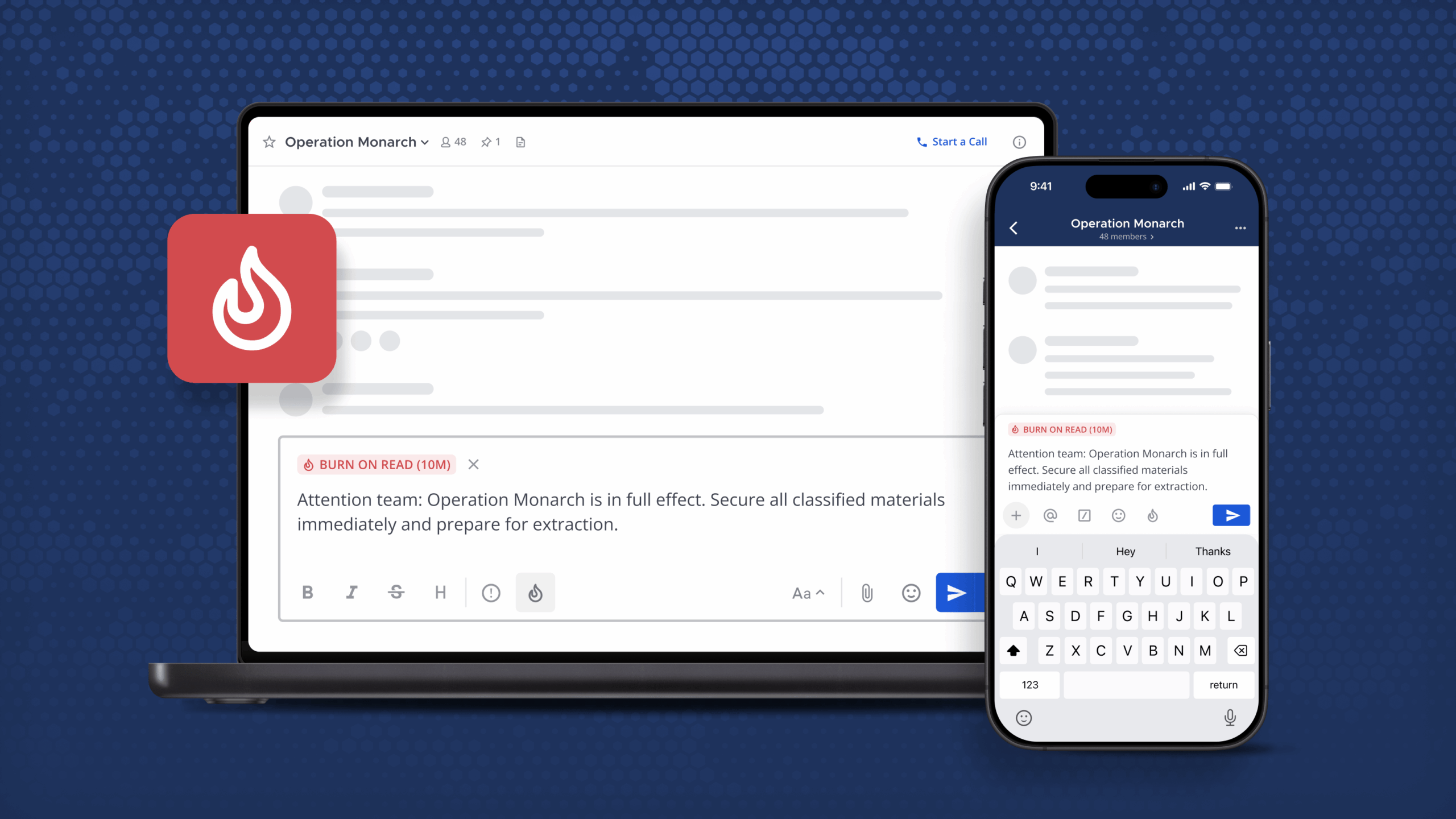
Starting in Mattermost v11.3 Enterprise Advanced, customers can enable burn-on-read messages, allowing sensitive communications to automatically self-delete after configurable time intervals. This capability is especially valuable in mission-critical environments, helping ensure sensitive instructions, credentials, files, or operational details don’t persist indefinitely on servers and endpoints.
Once enabled, admins can define:
- How long burn-on-read messages remain visible after they’re opened (from one minute to eight hours)
- How long each message exists after it’s sent, even if it’s never opened
Burn-on-read messages are marked with a 🔥 fire icon and are only readable after a user clicks to open them. Once opened, a countdown timer appears indicating how long the content will remain accessible before it’s permanently deleted.
Burn-on-read messaging also supports file attachments, post priority features, persistent notifications, and mentions, ensuring teams can use ephemeral messaging without sacrificing core collaboration features.
AI enhancements: Annotation support for agents, MCP universal connector
Mattermost Entry, Enterprise & Enterprise Advanced
Universal MCP connector
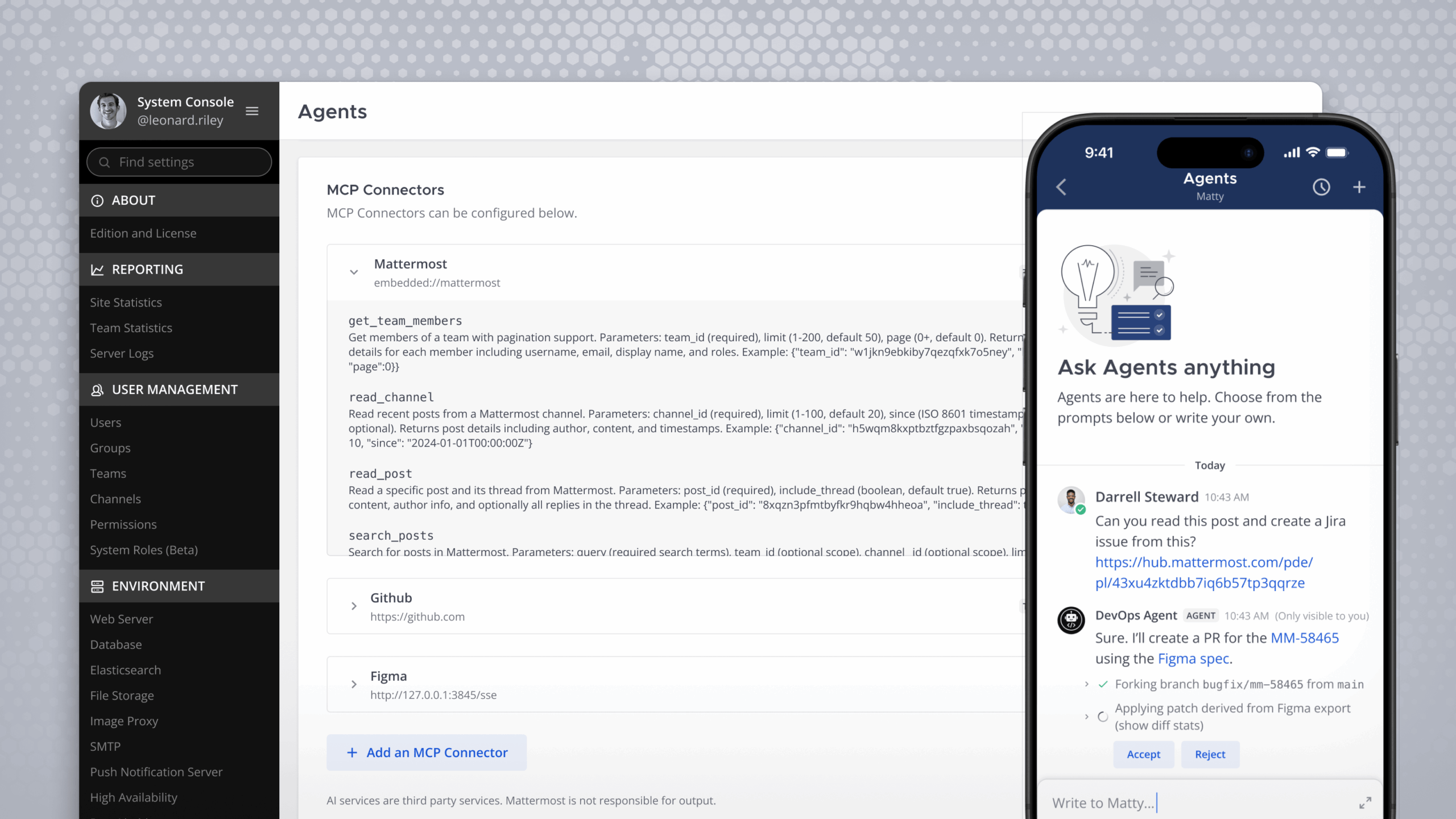
Mattermost now ships with a universal MCP connector that enables Mattermost Agents to connect to Model Context Protocol (MCP) servers both inside and outside the platform. Once enabled, agents can create posts, read and manage channels, and interact with external systems, including Jira, GitLab, GitHub, and Grafana, through MCP-enabled integrations.
The MCP connector also allows external agents, like CloudWeb, CloudCode, and CloudDesktop, to connect to the Mattermost MCP server and securely execute actions inside Mattermost.
By enabling the MCP client in the System Console, organizations can connect Mattermost agents to a wide range of MCP servers, unlocking powerful AI-driven workflows while maintaining enterprise-grade control and security.
To learn more about this feature, check out this piece from Ben Cooke, senior software design engineer at Mattermost: Introducing the Mattermost MCP Server: Give Agents Secure Access to Your Workspace.
Annotation support for OpenAI and Anthropic LLMs
LLMs can hallucinate. To increase confidence in AI-generated outputs, Mattermost v11.3 adds web search annotation support for both Anthropic and OpenAI providers, displaying citations from their native search tools directly in responses. With sources a single click away, users can quickly verify accuracy and assess the trustworthiness of the underlying information.
Other AI updates include:
- The ability to allow each of your agents to run with a different upstream model
- First-party support for Mistral and AWS Bedrock
- Support for extended reasoning
Reduce friction & boost productivity with easy guest login, Intune MAM support, and multi-window support for plugins
Mattermost Entry, Enterprise & Enterprise Advanced
Beyond security and AI, Mattermost v11.3 also reduces friction in day-to-day collaboration with improvements designed to help teams move faster, with more flexibility.
Easy Login
With Mattermost v11.3, guests can join channels by logging in with a magic link, no username or password required. Using this feature, Mattermost users can invite guests to join specific channels via their email addresses. Once invites are sent out, guests can securely access Mattermost by clicking a link, removing friction and delays when time is of the essence.
This functionality is particularly valuable for broad coalitions, emergency response efforts, and cross-agency collaboration, where participants may come from different organizations, departments, or jurisdictions and need immediate access to collaboration channels, without any hurdles.
Easy Login helps teams bring the right people together quickly without sacrificing control over access or security.
Improved mobile security with Intune MAM
Mattermost now supports Microsoft Intune Mobile Application Management (MAM), delivering strong mobile security without compromising productivity.
Intune policies and Mattermost’s built-in mobile protections work together to secure collaboration data at the application level. Controls such as PIN enforcement, screenshot blocking, and secure file previews help keep sensitive data inside approved environments, even across multiple servers.
With selective wipe capabilities and layered policy protection, Mattermost supports secure mobile collaboration for mission-critical, bring your own device (BYOD), and cross-agency use cases, without getting in the way of how people work.
Pop-out plugin windows for improved multitasking
Mattermost has been working toward a more flexible, multi-window experience for both desktop and web. With Mattermost v11.3, users can now pop out supported right-hand side plugins into their own windows, making it easier to multitask and stay focused.
Key plugins — like Boards, Playbooks checklists, and Agents — can now be opened in separate windows while users continue navigating channels and conversations in the Mattermost interface. The popped-out view stays fully synchronized, enabling users to seamlessly view, edit, and interact with content across windows.
This improvement increases productivity while opening new possibilities for richer interactions between plugins and the main Mattermost workspace.
Localization: Full support for Korean 한국어
Mattermost Entry, Enterprise & Enterprise Advanced
Mattermost now offers full Korean language support, making the platform more accessible for Korean-speaking teams.
To deliver high-quality, consistent translations, Mattermost uses AI-assisted translation powered by DeepL and Weblate. These tools enable automatic translation across the Mattermost interface while allowing translations to be reviewed and refined over time, ensuring a more natural user experience.
Huge thanks to community member Tom de Moor for his help on this project.
Try these new features today
To start using these new features, upgrade your Mattermost server.
Please visit the Mattermost v11 Changelog to learn about additional key updates with this feature release.