


With enhanced ABAC controls, a rearchitected Mattermost Agents v2.0, and more, Mattermost v11.7 ships with several capabilities designed to protect sensitive information, improve productivity, and keep operators focused on the mission.
Upgrade your Mattermost server today to start using these features.
ABAC for Team Admins
Mattermost Enterprise Advanced
Defense, intelligence, security, and critical infrastructure enterprises must protect sensitive data and prevent unauthorized system access, which is why many are using attribute-based access control (ABAC) to protect mission-critical workflows.
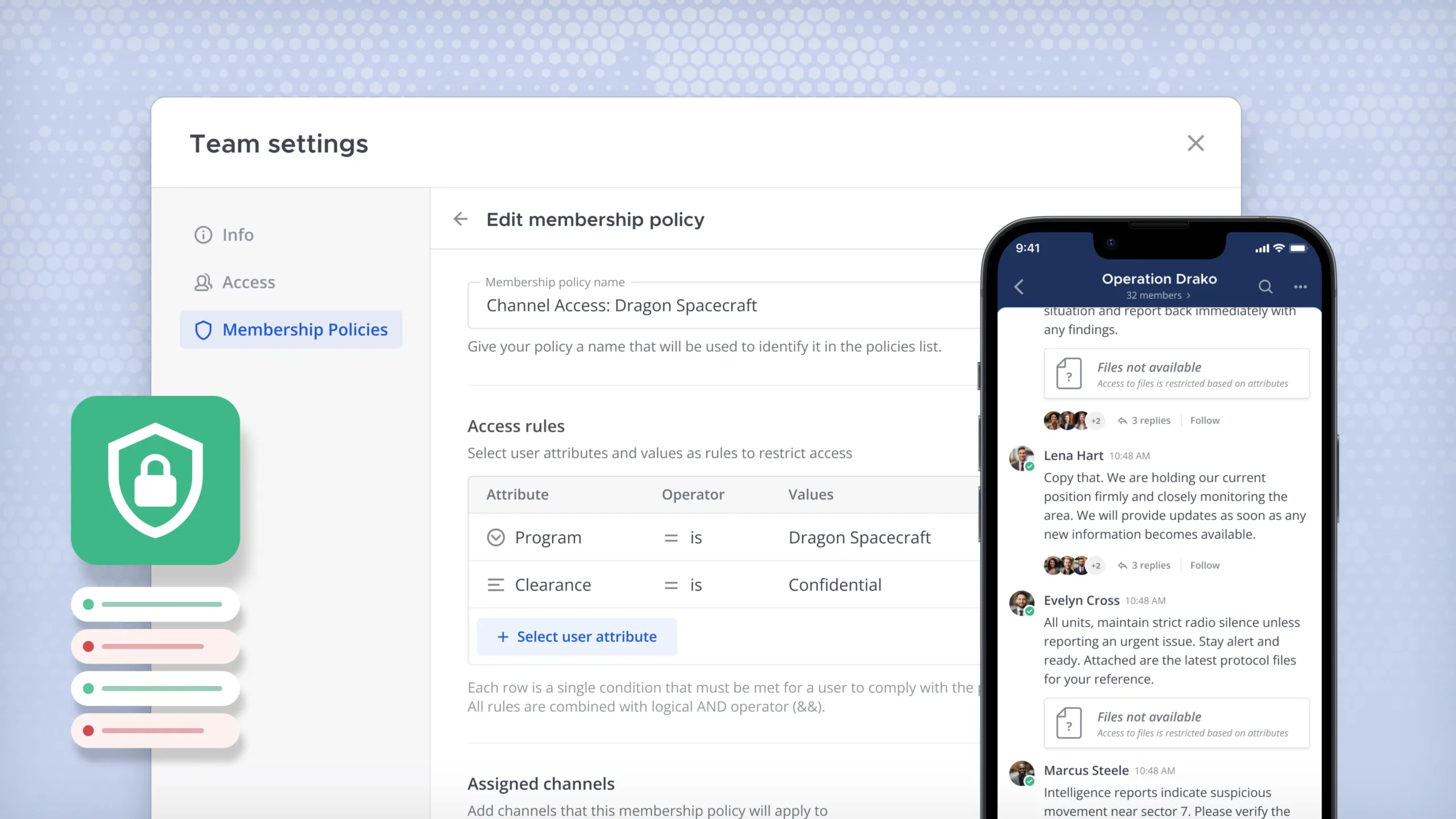
For Enterprise Advanced customers, Mattermost v11.7 expands ABAC capabilities by giving team administrators the ability to create and manage policies to restrict who can access the channels belonging to the team. Previously, this capability was only available to system admins.
Team admins can now own access governance for their own channels, enforcing the right policies at the right level, without routing every change through a system administrator.
Learn more about ABAC in Mattermost.
ABAC: File Permissions
Mattermost Enterprise Advanced
In mission-critical environments and coalition operations, teams regularly need to bring in external partners, contractors, and third-party agencies to collaborate on projects. Maintaining mission security means giving those partners precisely the access they need — no more, no less — without slowing down collaboration.
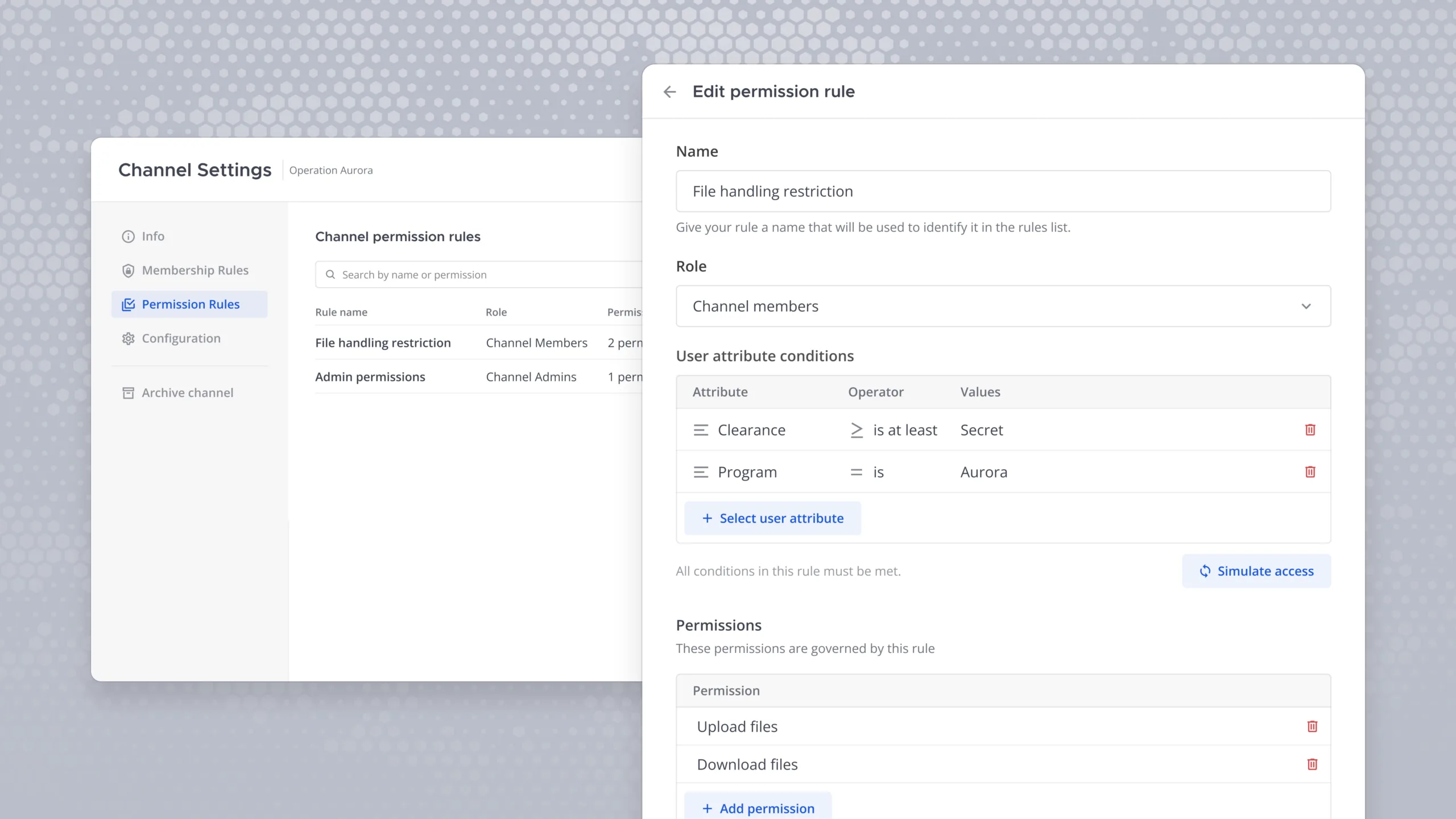
With Mattermost v11.7, we’ve introduced ABAC for file permissions for Enterprise Advanced customers. Now, only authorized individuals can access, download, and upload files if they have proper permissions — like being in a certain physical location. When policies are active, file access, downloads, and uploads are automatically scoped to users who meet the defined attributes, keeping sensitive content within its intended boundaries.
Security and operations teams can now bring external partners into their workflows with confidence — knowing that file access is enforced automatically, at the attribute level, without relying on manual oversight.
Looking ahead, we plan to extend permission policies to other capabilities, including who can create burn-on-read posts and who can edit posts.
Learn more about ABAC in Mattermost.
Agents v2.0: Custom Prompts, User-Created Agents & More
Mattermost Entry, Mattermost Enterprise, Mattermost Enterprise Advanced
Agents v2.0 is the most significant update to Mattermost’s AI capabilities since the plugin launched. Built on a rearchitected foundation and shaped by two months of internal and customer feedback, this release extends what agents can do, where they can do it, and who can put them to work:
- Custom prompts. Users can now create predefined prompts — shareable across the server or kept private — with support for context variables like username, channel, and team. Prompts can be pinned for one-click access directly from the message composer.
- User-created agents. Admins can now grant end users the ability to create, configure, and manage their own agents — without needing system console access. Users can set custom instructions, choose from admin-approved models and tools, control which channels and users can interact with the agent, and assign other users as co-admins.
- Tool policy editor. Admins now have fine-grained control over which tools require approval before running, and in which contexts — DMs, channels, or everywhere. Specific tools can be enabled or disabled entirely. Agents v2.0 also ships Mattermost-vetted tool sets: recommended auto-run configurations for known read-only tools across Mattermost, GitHub, Figma, and Atlassian.
- Multiplayer tool calling. Agents can now execute tools inside channels and group messages — not just direct messages. When a user invokes an agent in a shared space, tools run under that user’s authentication, keeping inputs and intermediate results private to them while the final response is visible to the channel.
- Token accounting. Organizations can now enable detailed usage logging and build dashboards inside their existing Grafana setup — tracking unique users, token consumption, most-used functionality, and usage trends over time.
- AI-enhanced search. Search now works on semantic meaning rather than exact keyword matching. Users can describe a problem or ask a general question and surface relevant results even when the wording doesn’t directly match the content.
- Bifrost integration. Under the hood, Agents v2 migrates to Bifrost to bring first-party support for Gemini, Grok, Perplexity, and more, freeing the Mattermost team to focus on platform and feature development instead of managing connections to LLMs.
Explore the docs for more information on Mattermost Agents.
Note: Agents v2.0 introduces breaking changes. See this guide for upgrade instructions.
Multi-Window Pop-outs: Channels
Mattermost Entry, Mattermost Enterprise, Mattermost Enterprise Advanced
In high-stakes environments, Mattermost users often need to keep up with activity in multiple channels to secure systems, respond to incidents, and fulfill mission objectives. When critical activity is happening across several channels simultaneously, switching back and forth means something important can slip through the cracks.
Mattermost v11.7 expands multi-window support to channels — letting users break any channel out into a standalone window with full functionality: composing messages, replying to threads, and viewing channel information, all without leaving their other active channels.
Operators running multi-channel surveillance, incident response, or coordinated mission workflows can now keep every relevant channel in view simultaneously — acting and responding in any of them without breaking situational awareness in others.
Streamlined Channel Sharing
Mattermost Entry, Mattermost Enterprise, Mattermost Enterprise Advanced
Mattermost customers often collaborate with external organizations, using shared channels to work together as if they were on the same Mattermost instance. When those teams are running their own Mattermost instances — connected workspaces — standing up a shared channel quickly is what keeps collaboration moving at pace.
Mattermost v11.7 streamlines channel sharing for admins. Rather than navigating separate configuration steps, admins can now share any channel with a connected workspace directly within the channel itself — enabling or disabling the functionality with a single toggle.
Admins can now stand up — or shut down — cross-organization collaboration in seconds, directly from the channel where work is happening, without routing requests through separate configuration workflows.
Read the docs to learn more about connected workspaces in Mattermost.
Support for Elasticsearch 9.0
Mattermost Entry, Mattermost Enterprise, Mattermost Enterprise Advanced
Mission-critical teams need to find information quickly. In high-tempo operations, the speed and accuracy of search directly shapes how quickly teams can act on the information in front of them.
Mattermost v11.7 adds support for Elasticsearch 9.0, giving customers access to the platform’s latest search capabilities and the performance improvements that come with them — so teams can surface the information they need faster and keep workflows moving.
Teams running Mattermost with Elasticsearch can now stay current with the latest release, getting faster, more capable search without any impact to existing deployments.
To keep customers collaborating without disruption, we’ll continue supporting Elasticsearch 8.0. We’ll also continue supporting Elasticsearch 7.0 in Mattermost v10.11, an Extended Support Release.
Learn more about enterprise search in Mattermost.
Mattermost v11.7 and Desktop v6.2 ESRs
Mattermost server v11.7 has been implemented as a new Extended Support Release (ESR) in May 2026. Per our release and support policy, v11.7 will be supported until May 15, 2027.
We have been maintaining 10.11 as our current ESR. This version is coming to the end of its life cycle. Starting August 15, 2026, we will no longer be backporting fixes to v10.11. Please upgrade your systems to v11.7 as soon as possible to continue to receive important bug fixes and security updates — and to maintain mobile compatibility.
Additionally, Mattermost Desktop App v6.2 has been implemented as a new desktop app Extended Support Release in May 2026. It will be supported until May 15, 2027. Starting August 15, 2026, we will no longer be backporting fixes to Desktop App v5.13 Extended Support Release.
ESRs are a strategic choice for organizations looking for stability and reduced frequency of updates. Using ESRs can minimize disruptions associated with frequent upgrades, making them an attractive option for environments where stability is paramount.
Breaking Changes
- Starting in Mattermost v11.7, FIPS builds require a minimum of 14 characters for passwords, atmos/camo proxy configuration, and shared channel secrets. Shorter passwords for existing users will no longer be valid and require a password reset. Non-FIPS builds are unaffected.
- Mattermost v11.7 includes Agents plugin v2.0. Please see this guide on how to upgrade the Mattermost Agents plugin from a v1.x release to v2.0.0. It covers the supported version path, the migrations that run automatically on first start of v2.0.0, the breaking changes and default-behavior flips that admins should know about before the upgrade window, and the verification steps to confirm the upgrade succeeded.
Try Mattermost v11.7 today
Upgrade your Mattermost server to start using these new capabilities.
For a complete list of updates and improvements included in this release, visit the Mattermost v11 Changelog.